
What A Crypto Wallet Really Is
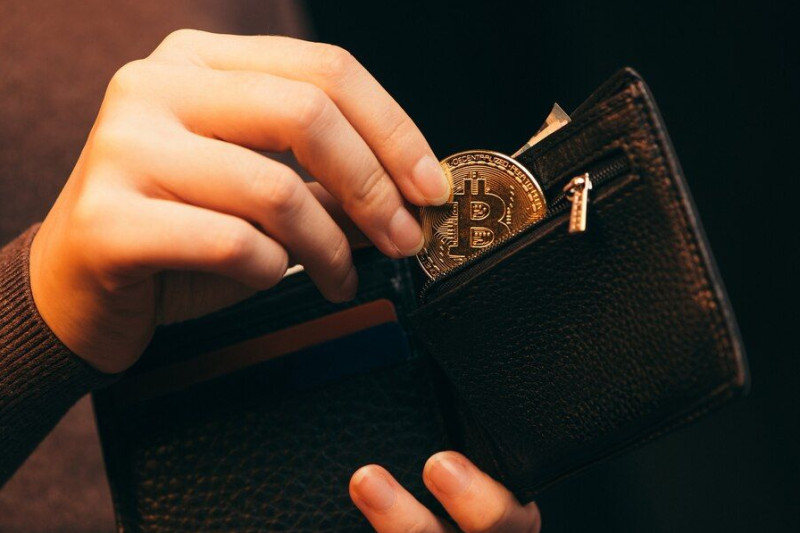
I want to help you find the best cryptocurrency wallet for beginners . A crypto wallet is a digital app or tool that lets you store, send, and receive cryptocurrencies. Think of it like a virtual wallet that holds your digital assets instead of cash. But here’s the key fact: a wallet doesn’t hold the actual coin. It holds the public and private key info needed to do transactions. The coin itself sits on a blockchain, which is a digital ledger. When I first learned this, it clicked for me. You need the keys to move your money, not the app itself.
Finding the best wallet for cryptocurrency starts with knowing this split. The coin lives on the chain. Your wallet is just the key holder. That’s why people talk about a crypto storage wallet as if it holds coins, but it really stores keys. I like to keep this simple in my head: keys, not coins. A public key is like an account number you can share. A private key must stay secret because it gives access to your funds.
Hot Wallets And Cold Wallets
There are two broad forms based on how they connect. Hot wallets stay online. They run on your phone, browser, or desktop. They’re good for small amounts and daily use. Cold wallets are offline devices that sign transactions without exposing keys to the net. They fit long-term storage and bigger balances. I tell friends: use hot for coffee money, cold for savings. Hot wallets include MetaMask, Trust Wallet, Phantom, and exchange wallets. Cold wallets include D’CENT, Ledger, Trezor, Tangem, and SafePal.
Main wallet forms
- Mobile app wallets on your phone
- Desktop software on your computer
- Web wallets that run in browser
- Hardware devices that look like USB sticks
Hot wallets are always online, best for small amounts, daily transactions, and DeFi interactions, but exposed to hacking.
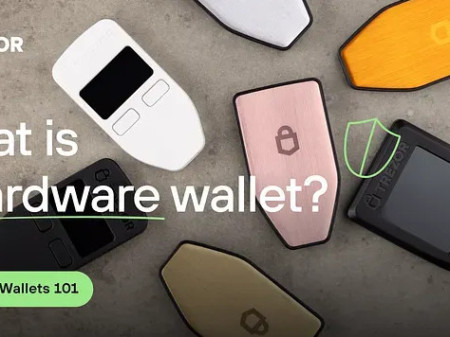
A cold wallet for crypto keeps keys off the net, which cuts remote attack risk. But you can still lose it or get tricked into signing bad transactions. The safest wallet crypto setup is a cold device with a written recovery phrase stored offline. I sleep better knowing my long-term coins sit on a device that never touches Wi-Fi. Hardware wallets are physical items that look like a small stick or card. They sign with keys inside the device so the secret never leaves it.
Custodial Versus Self-Custody
Another split is who holds the keys. Custodial wallets are provided by exchanges or third parties. They keep your private keys and manage funds for you. That’s convenient but you trust someone else. Self-custody wallets, also called non-custodial, give you full control. You own the keys and the funds. This boosts security and cuts reliance on middlemen. Hosted wallets are exchange-hosted, easy but they may limit what you can do.
Two control types
- Custodial: exchange holds keys, easy but external trust
- Self-custody: you hold keys, full control, more responsibility
- Hosted wallets are exchange-hosted, simple but limited
- Non-custodial needs careful key backup
For a blockchain best wallet pick as a new user, I often suggest starting with self-custody if you can handle the backup step. It teaches you how crypto really works. But custodial can help if you just want to buy and hold with less fuss. The trade-off is clear: convenience versus control. I lean toward control once a person learns the basics.
Why Ease Of Use Matters
Ease of use is critical for newcomers. A beginner-friendly wallet should feel intuitive, with clear buttons and minimal settings. No tech jargon. If you can send or receive crypto in under a minute, you’re on the right track. I look for a clean interface and simple steps. You shouldn’t need a manual to move ten dollars. Wallets that throw too many options at you can cause mistakes. A good one keeps the main actions front and center.
If you can send or receive crypto in under a minute, you’re on the right track.
When you search for the cryptocurrency app best for daily use, check if it supports many coins and has clear fees. Some wallets show gas and swap costs before you confirm. That helps you learn without surprises. I also like flexible access like email recovery or biometric login because it reduces user error. A calm first experience makes people stick with good habits.
Security Features To Prioritize
Security should be top of mind. Look for two-factor authentication, multi-signature support, biometric or PIN lock, and a solid backup process. Some wallets add built-in checks or smart assistants that flag risks. For cold wallets, a secure element chip certified EAL5+ or EAL6+ is recommended. And always store your recovery phrase on paper, never on a device. Multi-party computation wallets remove seed phrase reliance, which helps if you fear losing paper.
Key security items
- Two-factor authentication (2FA)
- Biometric or PIN protection
- Backup and recovery phrase on paper
- Built-in security checks or smart alerts
Always store recovery phrase offline on paper, never digitally.
The safest wallet crypto still means you control the keys and never share them. I repeat: no legit agent will ask for your phrase. Some wallets use real-time scam detection to analyze each transaction before you sign. That’s a helpful extra layer. But you must still verify the recipient address on the device screen. Malware can show false addresses on your computer.
Coins Supported And Fee Clarity
Supported cryptocurrencies matter. Some wallets hold only Bitcoin, others store thousands of tokens across chains. Pick one that handles BTC, ETH, stablecoins, and major layer 1 or 2 coins for flexibility. Fees should be clear too. Most wallets don’t charge extra, but network gas, swap spreads, or card buy fees apply. Good wallets show the cost before you hit send. Basic asset support should easily handle BTC, ETH, and stablecoins.
A crypto storage wallet that lists many assets saves you from juggling apps. But check the fine print on swap fees. I once saw a wallet hide a spread in the rate. Now I compare before swapping. Bonus points if the wallet supports altcoins and NFTs, but as a beginner you can start with the big names. Clear fee display builds trust fast.
All In One Wallets And AI Help
All-in-one functionality helps newcomers. Wallets that combine storage, swapping, borrowing, and lending cut the need for many apps. Flexible access like biometric login reduces user error. Automation and AI assistance are new differentiators. Some next-gen wallets include AI agents that automate trades and portfolio care while boosting security. They can watch news and act for you while you keep control.
The best wallet for cryptocurrency for a busy person might be one with an AI assistant. It can simplify advanced actions from day one. I find that neat but you still must pick a trusted one. Look at trusted crypto apps with real user feedback and active development. Reducing manual effort is good, but never give up your private keys to a black box.
Oblio Wallet For New Users
Oblio Wallet stands out as a next-gen pick. It’s a multi-chain, self-custody wallet with an AI assistant named LIO. LIO automates trading, portfolio management, and execution while improving security. It helps users make smarter choices and simplifies advanced actions from day one. You keep your private keys. Core features include multi-chain support on mobile, in-app swaps with real-time liquidity check, staking, and card purchases.
LIO gives insights and can run strategies via natural language. Who is it for? Both beginners and advanced users who want full control without manual grind. For beginners, it executes advanced actions in seconds. Pros: full control, multi-chain, smart automation that runs 24/7, natural language use. It combines secure self-custody, smooth multi-chain access, and an assistant that learns. I like that it removes friction for new folks who feel lost.
Exodus And MetaMask
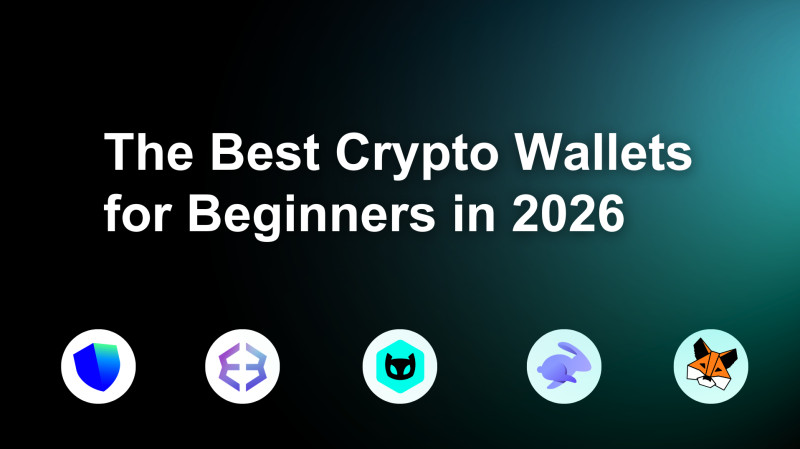
Exodus is a well-established, user-friendly wallet with clean design. It’s self-custody, works on desktop and mobile, and has built-in swaps and staking. But it’s manual, no AI, basic cross-chain. Good for casual store and swap. Cons: no automation, limited advanced features, no AI help. It relies on you to monitor the market. Still, many beginners like its simple look.
MetaMask is widely used, mainly for Ethereum and EVM networks. It connects to dApps and NFTs. But it can confuse beginners with network setup and gas fees. It lacks Bitcoin or Solana support natively. Cons: complex for new users, manual network management, risk of overpaying fees, phishing from bad dApps. I’d say MetaMask suits Web3 fans, not total newbies. If you just want to hold coins, it’s overkill.
Trust Wallet And Rabby
Trust Wallet is mobile-first, non-custodial, and supports thousands of tokens. It has a dApp browser and in-app DEX. But the interface can feel overloaded. No live support noted. Cons: less intuitive UX, risk of user error. Rabby Wallet targets advanced DeFi users with transaction previews and security checks. It’s manual and EVM-focused. Not my first pick for a raw beginner, but its safety previews are smart.
Rabby makes on-chain interactions safer via previews and security checks before execution.
If you want a cryptocurrency app best for many features in one place, Trust may fit. Just take time to learn the buttons. Rabby’s automatic network detection and simulation help you see what a transaction does before you sign. That kind of clarity is good for anyone, but the app assumes you know DeFi basics.
CoinRabbit And Zengo No Seed Phrase
CoinRabbit is a hybrid wallet that simplifies storage, swaps, and crypto loans without credit checks. It requires no seed phrase, which reduces setup loss risk. Supports BTC, ETH, USDT, and 300+ assets. But it lacks active trading or DeFi. Limitations: not for active trading, fewer on-chain features. Zengo also removes seed phrase via multi-party computation. Smooth onboarding, biometric, 24/7 chat. Yet it supports fewer chains and in-app swaps cost more.

For someone scared of losing a paper phrase, these are worth a look. Still, know the limits. The blockchain best wallet for you may differ if you need wide chain support. Zengo’s smooth mobile app is nice, but high swap fees can add up. CoinRabbit’s loan feature is a neat way to get cash without selling coins. I’d test both with small amounts first.
Hardware Wallets Like Trezor And Ledger
Hardware wallets are cold devices. Trezor Model One is entry-level, keeps keys offline, PIN and passphrase, works with Trezor Suite. Safe 3 has EAL6+ open-source secure element, 8000+ coins, auditable firmware. Model T supports 1000+ coins, simple setup, direct purchase. Ledger Nano Flex has E Ink screen, NFC, EAL6+ chip, needs Ledger Live app. Nano X has Bluetooth, 5500+ coins, EAL5+ chip. Prices vary by model.
Popular cold devices
- Trezor Model One: basic, offline keys
- Trezor Safe 3: open-source secure element
- Ledger Nano X: Bluetooth, many coins
- Ledger Nano Flex: premium screen and NFC
Some folks ask about trezor safe 5 vs 7 when shopping, but the models listed above are the ones I found in the source. Always buy from official makers. A cold wallet for crypto is a physical buy, so check seals. Trezor does not support Solana or Cardano on Model One. Ledger supports many coins but costs more up front. I view the price as insurance for big balances.
Other Cold Wallets And Cards
Tangem uses card design, EAL6+, 6000+ coins, cheap. SafePal S1 is air-gapped with QR signing, 10000+ coins, no Bluetooth. D’CENT Biometric has fingerprint auth and real-time scam detection via Blockaid. It checks addresses against scam databases before you sign. That’s a rare feature. It supports BTC, ETH, Solana, XRP, Polygon. Only hardware wallet with that feature per source.
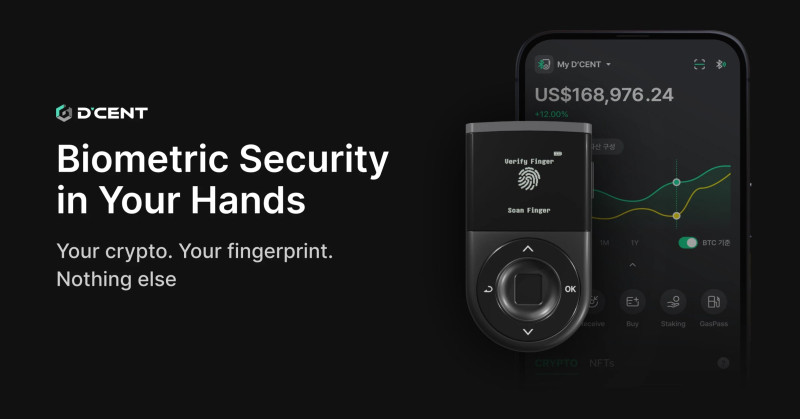
If you want the safest wallet crypto with biometric ease, D’CENT is interesting. But any onekey secure crypto wallet type product should be checked for genuine firmware. I mention OneKey as a related search, though not in the source list. Tangem cards are light and simple, good for beginners who hate cables. SafePal’s air-gapped sign is solid for long-term hold.
More Wallets To Know
Cwallet mixes custodial and non-custodial, 900+ coins, built-in tips and payments. P100 blends euro account, debit card, and self-custody crypto with MPC security. Maximus launched in March 2023, mobile, supports ETH, BNB, USDT, and its own token. MyEtherWallet focuses on Ethereum and ERC-20. Edge is intuitive with DEX. Atomic and N26 (banking app with crypto) exist too. N26 supports almost 200 coins and starts with small amounts.
For a business crypto wallet need, N26 or P100 may suit, but as a person I just want simple control. The trusted crypto apps are those with clear history and active support. Cwallet’s live assistance is a plus for new users. P100’s card cashback is fun if you spend crypto. Maximus keeps things basic with a 12-word phrase. I’d read recent user reviews before picking any of these.
Setting Up A Hot Wallet
Hot wallet setup is quick. Enter basic info, make a security password, turn on two-step verification. Mobile wallets let you pay face-to-face via QR. Desktop wallets need antivirus. Web wallets store passwords online, which raises risk. I suggest starting with a small amount. Use official app stores only. Never download from random links.
Hot setup steps
- Download app from official store
- Create account with strong password
- Enable 2FA or biometric
- Write recovery phrase on paper
Mobile wallets are convenient for face-to-face payments using QR codes.
After install, send a tiny test amount to learn the flow. Check the receive address matches what you see in the app. If the wallet asks for a seed up front, write it offline. Don’t screenshot it. I keep my phrase in a locked drawer, not on my phone. That simple habit has saved many newcomers from theft.
Setting Up A Cold Wallet
Cold setup takes more care. Buy only from official source. Check tamper seals. Initialize device to generate new recovery phrase. Write it on paper, never digital. Verify order, set PIN or biometric, install companion app, send test amount. Never use a pre-written seed from a used device.
Cold setup steps
- Purchase from official maker or authorized shop
- Verify package integrity with seals
- Generate new recovery phrase on device
- Transfer small test amount first
This careful path protects you. A cold wallet for crypto is only safe if the seed is never typed online. I can’t stress that enough. If the device already has a phrase when you open it, send it back. Genuine units make you create a new one. Check firmware from official sources only.
Common Mistakes New Users Make
Beginners trip on simple things. Treating crypto like a bank with hotline support. Skipping 2FA. Jumping into risky tokens or random DeFi sites. Overusing in-app swaps without rate check. Buying second-hand hardware. Storing phrase in photos or cloud. Ignoring transaction details on screen. Approving unknown approvals. Neglecting firmware updates. Sharing phrase. These errors cost real money.
Mistakes to dodge
- Think crypto has bank-style support: it doesn’t
- Skip security settings like 2FA
- Connect to random sites with wallet
- Save recovery phrase in digital form
No legitimate agent asks for your recovery phrase.
Keep the best wallet for cryptocurrency safe by testing recovery and double-checking addresses. I’ve seen folks lose funds to false addresses shown by malware. Sticking to major coins until you understand the chain helps a lot. Don’t approve wallet connections you don’t recognize. A simple rule: when in doubt, reject.
Simple Security Checklist
A light routine keeps you safe. Monthly: review transactions, use Revoke.cash to drop unused approvals, disconnect sites, check paper phrase. Every 3 months: review PIN and lock settings. Every 6–12 months: verify recovery plan with family and phrase readability. This is not heavy. Ten minutes a month is enough.
Check schedule
- Monthly: review txs and revoke approvals
- Quarterly: check PIN and OS updates
- Twice a year: family recovery plan
- Always: keep phrase offline and readable
The crypto storage wallet you pick should make these steps easy. I set a calendar reminder so I don’t forget. If you hold more than $500 on any wallet, a hardware device is worth it. Small balances on hot wallets with strong locks are fine. The goal is to lower chances of loss without losing sleep.
What To Do After Setup
After setup, send a test transaction of small value to learn delays and fees. Bookmark official pages to dodge phishing. Read one wallet blog post per week. Set a rule like never store more than $100 on hot wallet until ready. These habits build skill. Start with receive and send, then try a swap if your wallet has one.
First actions
- Send $10 test transfer
- Bookmark official wallet sites
- Read provider blog weekly
- Limit hot wallet balance
Set simple rule (e.g., never store more than $100 on hot wallet until ready).
Learning slowly keeps you safe. I tell new users to act like they are handling cash. If you wouldn’t hand a stranger a hundred dollar bill, don’t connect to a weird site. The blockchain best wallet is the one you actually understand and use with care.
Quick Answers To Common Questions
People ask: what features to look for? User-friendly interface, strong security, multi-currency support. How to secure? Store phrase offline, strong password, 2FA. Can I swap in wallet? Many have built-in tools. How to start with no experience? Pick beginner wallet, backup phrase, fund, small send. What is difference between cold and hot? Hot online, cold offline. Can cold be hacked? Remote attacks rare, but physical and scam risks remain. If you lose cold device but have phrase, funds are safe. Lose both, gone.
A blockchain best wallet for small amounts may just be a hot one with good locks. I hope this breakdown helps you pick the best cryptocurrency wallet for beginners with calm and clear steps. There is no single perfect pick. Match the wallet to your needs: simple app, AI help, or cold storage. Then back it up right and start small.
Comments on “Finding the Best Cryptocurrency Wallet for Beginners and Getting Started Fast”
No comments yet. Be the first to share your thoughts.