
My Trezor Wallet: What It Is
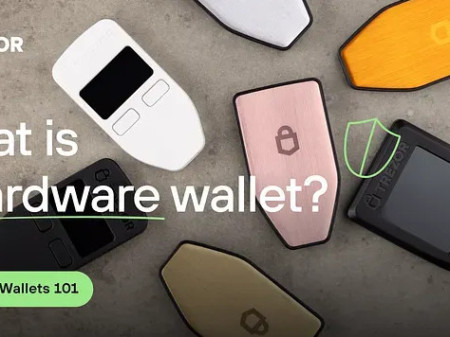
My trezor is a hardware wallet made by SatoshiLabs, a Czech company. The source calls it the world's first cryptocurrency hardware wallet. The core idea is that your private keys stay inside the device, away from the internet and your computer. That is the cold storage model in plain words.
A 2017 blog post described Trezor as the world's first hardware wallet. It offered crypto storage, password management, and second-factor auth. It was meant for both security experts and people just getting started. SatoshiLabs also built CoinMap.org and Slush Pool, which the source calls the first Bitcoin mining pool.
The Trezor One is built around a general-purpose microcontroller. The firmware is open source, but the chip and low-level software from the chip vendor are not. They stay hidden in flash. That matters if you care about what is actually running on the device.
The 2018 exchange announcement described the Model T as next-generation. It kept the original features but added a touchscreen, a faster processor, advanced coin support, and a modern interface built for usability and security.
Later materials mention more devices and services. The Trezor Safe 3 and Safe 5 come with Bitcoin-only firmware. The Safe 7 offers advanced, future-proof security with wireless freedom. The Keep Metal is a physical metal backup. Expert sessions give one-to-one onboarding. The Academy runs in-person education and self-custody instruction.
How SegWit Changed the Wallet
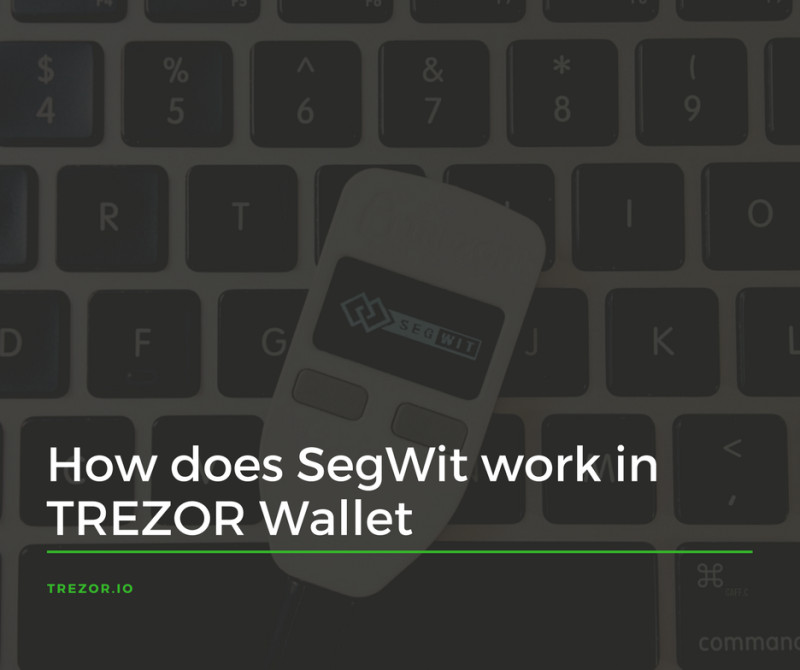
A June 2017 Trezor Wallet guide called itself coin-agnostic. It applied to Bitcoin-like currencies that had Segregated Witness, or SegWit, activated. At the time those were Bitcoin and Litecoin. The guide said standard and legacy accounts would both be supported indefinitely.
A standard account is the default. It gets faster signing for big transactions, cheaper fees, and access to SegWit features. Bitcoin standard addresses start with 3, Litecoin ones with M or 3.
Legacy accounts are the older type. They stay fully functional but cannot use SegWit features. Bitcoin legacy addresses start with 1, Litecoin with L. Some third-party apps only worked with legacy accounts until those apps added SegWit support.
Extended public key formats
- xpub for Bitcoin legacy
- ypub for Bitcoin standard, or SegWit-enabled
- ltub for Litecoin legacy
- mtub for Litecoin standard, or SegWit-enabled
SegWit is not required. Legacy accounts keep working. The wallet can send to both SegWit P2SH and non-SegWit addresses. To get the full benefits you must move coins into a new SegWit-ready account yourself. The wallet cannot do it automatically because you control the coins.
The process: update firmware to 1.5.2 or later, open Trezor Wallet, pick your currency, open the new account, choose Receive and copy an address, go to the legacy account, choose Send and paste the address, send the transaction, and repeat as needed.
Privacy is handled per account. The guide said your existing privacy level stays as long as coins from different legacy accounts are not sent into the same new account.
In-Wallet Exchanges
On October 22, 2018, Trezor added exchange functionality inside the wallet. The priorities were usability, convenience, and safety. You could convert coins without leaving the wallet site. The full exchange process could be started and watched right in the interface.
At announcement, existing features included multiple accounts, multi-currency support, complete transaction history, sending, and receiving. The exchange added the ability to convert coins and tokens from inside the wallet.
The exchange feature came from third parties. SatoshiLabs was not responsible for the process, rates, fees, or functionality. The wallet operates without KYC because neither the wallet nor the device is custodial.
If an exchange provider requires KYC, that provider handles registration and verification. If you refuse, the transaction gets reverted. Trezor Wallet and SatoshiLabs do not process or request your personal info for this feature. Exchange customer support comes from the partners.
Exchange providers at launch
- Changelly: an instant crypto swap platform with an API for wallets and exchanges
- ChangeNOW: non-custodial, no registration needed, standard and fixed-rate swaps, 150+ coins
- CoinSwitch: backed by Sequoia Capital, aggregates 10+ exchanges, 400+ coins, 45,000+ pairs
- ShapeShift AG: Swiss company behind ShapeShift.io, CoinCap, and KeepKey
At the time the available exchanges were Changelly, CoinSwitch, and ChangeNOW. ShapeShift was temporarily unavailable.

Passphrase Wallets
A passphrase is an extra security feature that grants access to a wallet separate from the standard one tied to the same backup. Think of it as a secret key that opens another locker inside the wallet. Different passphrases create and access different wallets.
The backup alone gives the standard wallet. Backup plus passphrase gives the hidden wallet. Each unique backup-and-passphrase combo is its own wallet. The passphrase is not stored on the Trezor, so it is classified as an advanced self-custody feature.
A passphrase works like an extra word or phrase added to the recovery seed. The backup by itself opens the standard wallet. The backup plus the correct passphrase opens the hidden wallet. The same combo derives the same wallet and addresses in compatible apps.
It is not exclusive to Trezor. You can use it with compatible third-party apps including MetaMask. Same backup and passphrase, same wallet, same addresses everywhere.
Passphrase ground rules
- Case-sensitive: Hello World is not the same as hello world
- Up to 50 bytes, roughly 50 ASCII characters
- Spaces and special characters are valid
- Simple values like password or 12345 are strongly discouraged
If the Trezor is lost, a replacement can restore the same wallets: buy a new Trezor, import the backup, enable passphrase, enter the exact passphrase. The same passphrase reveals the same hidden wallet and crypto.
Forgetting the passphrase means permanent loss. It cannot be recovered by Trezor or anyone else. That is why it is called advanced - it adds a separate layer of protection, but you stay responsible for remembering it.
Store the passphrase memorably. The source advises against writing it down where it could be found. If you store it physically, apply the same rules as your recovery seed: avoid digital storage, keep it secure, keep it separate from the backup, and dont leave it obvious to a thief.
One approach: place it among important personal items where trusted relatives could find it and understand its significance. A safe-deposit box or a secure arrangement with a fully trusted person, like a spouse or attorney, was also mentioned.
For inheritance or emergency access, you may need to share the passphrase with a fully trusted person. That person must recognize its importance, and it must be stored securely to reduce misuse risk.
Forgetting the passphrase causes permanent loss of access to its hidden wallet. The passphrase cannot be recovered by Trezor or another entity, and the cryptocurrency in that wallet cannot be retrieved.
Why a Second Hardware Wallet Helps
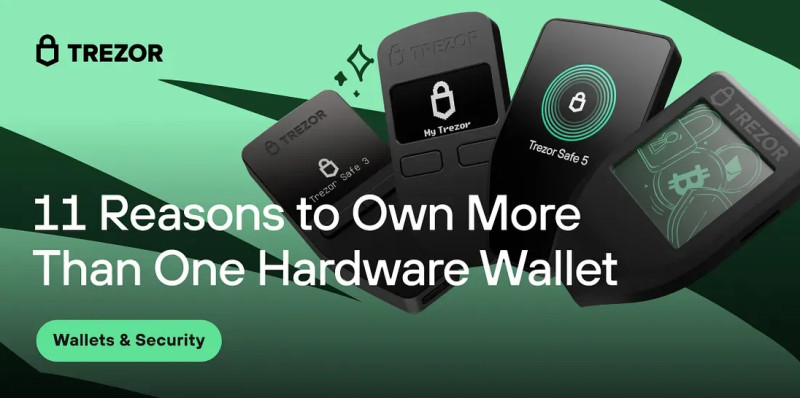
One Trezor protects your assets, but a second device adds security, flexibility, and peace of mind. The article listed 11 reasons to own more than one hardware wallet. Here is the practical rundown.
11 reasons to own more than one hardware wallet
- Emergency backup - if the primary is lost, stolen, or damaged
- Gifting - introduce friends and family to self-custody
- Bitcoin separation - Safe 3 and Safe 5 have Bitcoin-only firmware
- Trading vs storage - one wallet for active trading, one for long-term HODL
- Diversify across devices - do not keep all eggs in one basket
- Inheritance - give a trusted family member or executor access
- Business funds - clear separation of personal and company crypto
- Travel - a secondary wallet with limited funds stays secure at home
- Collecting and upgrading - newer models bring updated hardware
- Teaching - a demo device for workshops avoids using your personal one
- Multisig - multiple keys on separate devices, no single point of failure
One Reddit user described the practice: "I bought 2 with my initial order. Set one up to use and put the other one in locked storage. I wanted a backup plan in case of total failure and another hardware wallet sell out."
The Trezor Safe 5 vs 7 question comes up a lot. The Safe 7 is described as advanced, future-proof security with wireless freedom. The Safe 5 offers Bitcoin-only firmware mode. Both are valid choices depending on what you hold and how you use it.
Managing multiple devices means more responsibility. Every device, seed, passphrase, location, and backup needs tracking. New users should start with one primary and one backup, not a whole collection.
My thought was it made sense not to put all my eggs in one basket.
Metal Backups and Multi-Share Backup
Trezor Keep Metal is a physical product built to protect a Multi-share Backup against fire, water, and impact. It handles 20-word backups.
Trezor intern Rachel called it her favorite product. She said: "It is fun and easy to use, even for the newest of crypto users. And as someone who is a little clumsy and forgetful, having a metal backup that can handle fire, coffee, and the occasional drop is honestly a relief."
It is fun and easy to use, even for the newest of crypto users. And as someone who is a little clumsy and forgetful, having a metal backup that can handle fire, coffee, and the occasional drop is honestly a relief.
The Side-Channel Attack on Trezor One
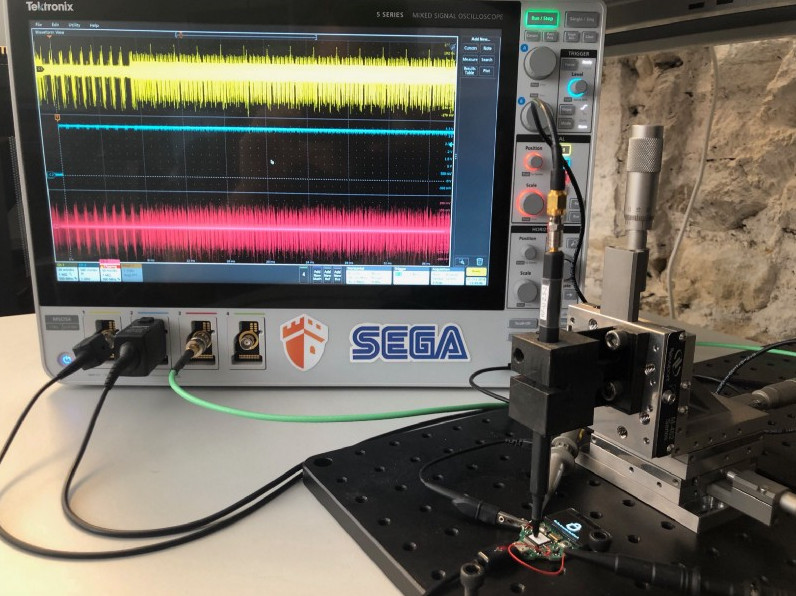
On June 17, 2019, Ledger Donjon published "Breaking Trezor One with Side Channel Attacks." The main finding: a side-channel attack on PIN verification could let someone with a stolen Trezor One recover the correct PIN within minutes. The broader analysis reported two profiled attacks: PIN retrieval and partial scalar recovery during elliptic-curve point multiplication.
The attack required physical possession of the device. The stolen Trezor could be connected to equipment measuring power consumption during PIN guesses. It was not a remote internet attack.
Side-channel analysis relies on the device's physical behavior changing with the data it processes. Possible channels include execution time, power consumption measured with a shunt resistor and oscilloscope, and electromagnetic emissions.
A profiled attack has two stages. First, profiling: the attacker characterizes how a sensitive value affects the device's physical behavior. Second, matching: the model predicts the unknown value from new traces. Classical profiled attacks commonly use machine-learning classifiers.
The researchers used a Trezor One with modified firmware for lab profiling. They deactivated nonvolatile-memory writes that decrease the PIN Try Counter so attempts could be automated. They used trezorctl to send repeated requests with chosen PIN inputs and recorded the traces.
The study collected 200,000 power traces with random known inputs. For each trace they calculated the PIN subtraction value and compared groups using NICV, an analysis-of-variance tool. NICV near zero means the value does not explain the trace. Higher values mean a stronger relationship.
The profiling stage treated each PIN digit as a machine-learning classification problem. Linear Discriminant Analysis was chosen as a simple, fast classifier. One LDA classifier was trained per digit and saved for matching.
The matching stage used a second Trezor One with an unknown PIN. The researchers collected 15 power traces per test and repeated this 300 times. Across all tests, 10 traces were sufficient in the worst case to reconstruct all four digits of a four-digit PIN.
An adaptive method - choosing each submitted digit based on the classifier's current result - dropped the average from 10 attempts to 5.5.
Trezor patched the PIN-verification mechanism after disclosure. The timeline: vulnerability disclosed October 31, 2018, firmware update March 6, 2019, bounty paid June 2, 2019. The researchers did not repeat the test against updated firmware but described the new implementation as appearing more robust.
10 power traces were sufficient in the worst case to reconstruct all four digits of the submitted PIN. Each trace corresponded to one PIN attempt.
BIP-0039 and SLIP-0039 Integration
A GitHub issue in the trezor/python-shamir-mnemonic repo, opened November 10, 2021, proposed using Shamir's secret-sharing to split BIP-0039 seeds directly. The issue is marked closed.
The proposed benefits: software wallets would not need a separate protocol, older hardware wallets could work with Shamir mnemonics, BIP-0039 extension words would keep working, and users might not need to move funds into SLIP-0039 wallets.
A 12-word BIP-0039 mnemonic encodes 16 bytes, or 128 bits, plus 4 checksum bits. The issue contrasted this with the default 128-bit SLIP-0039 master secret. The author argued that splitting a full 512-bit seed did not add real entropy since the original had only 128 bits.
The proposed process: use the first 16 bytes of the BIP-0039 secret as the SLIP-0039 master secret, create 20-word Shamir shares instead of 59-word shares, then reconstruct by recovering the master secret, appending the 4 checksum bits, and converting back to a 12-word mnemonic.
The issue acknowledged the process seemed unusually simple and might be missing a requirement. It suggested SLIP-0039 could be examined to check whether its claims about 59-word shares and passphrase conversion were necessary.
An Intern's Perspective
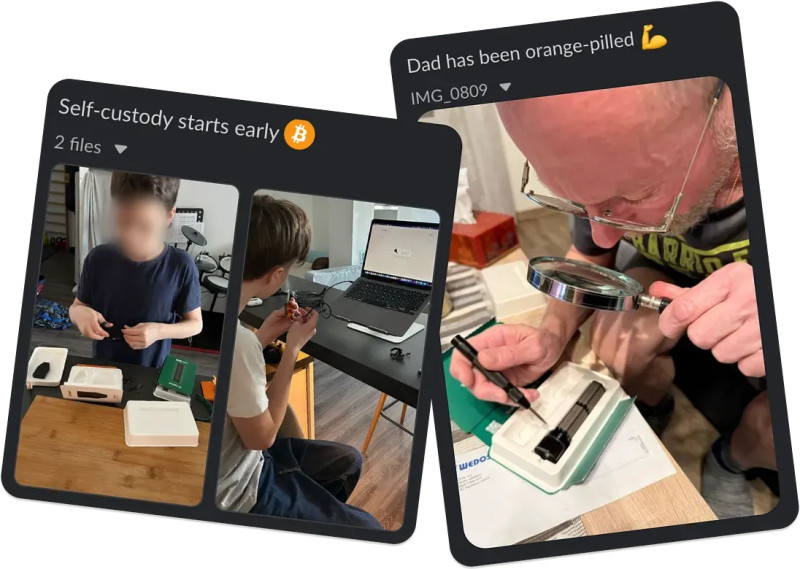
Rachel joined Trezor as a marketing intern knowing nothing about cryptocurrency. Before that summer she had not known anything about crypto, SatoshiLabs, or hardware wallets. Two weeks after accepting the internship she had moved to a new country, entered a new office, and was living with people she had never met.
She watched a live Trezor Talks podcast recording, received a history lesson about cypherpunks and Bitcoin, attended BTC Prague where she got her first crypto - 0.00001 BTC - and sat in creative brainstorming sessions that shaped real campaigns.
Rachel valued transparency and the range of people at Trezor. The team included a Bitcoin-only HODLer, a cryptocurrency trader, a memecoin creator, and people with other backgrounds. They were united by self-custody and taking control.
Her favorite product was the Trezor Keep Metal, described as suitable for users who need protection against fire, water, impact, spills, or drops.
Starting Out with My Trezor
If you are beginning, the trezor io start path is straightforward. Pick a device, write your seed phrase offline, set a strong PIN, and test a small transfer first.
A cryptocurrency hardware wallet only works when you treat the seed and passphrase with real care. The device protects your keys, but you protect the device and its backup.
For hardware wallets crypto newcomers, the biggest lesson is this: keep the seed offline, use a passphrase for hidden wallets, and consider a second Trezor as a backup plan.
A cold crypto wallet is not magic - it is a tool that works when you follow the basics. The same goes for a cold wallet for crypto: it keeps secrets off the internet, but only if you handle the backup and passphrase properly.
If you are comparing options, remember that a ledger cryptocurrency wallet exists as an alternative, but this article stays focused on Trezor-specific details. The same security principles apply across brands: seed backup, strong PIN, passphrase for sensitive holdings, and firmware updates when available.
For anyone weighing a onekey secure crypto wallet against Trezor, the Trezor line offers open-source firmware and a clear passphrase system. Whether you go with a Safe 3, Safe 5, or Safe 7, the core idea is the same: secrets stay in the device, you stay in control.
The cryptocurrency wallet hardware space has grown, but the fundamentals have not changed. Your seed phrase is the master key. Your PIN is the lock. Your passphrase is the hidden room. Treat all three with care and the system works as designed.
Rachel, the intern, put it simply: if something did not make sense to her, it might also fail to make sense for new users. That is a good lens for anyone evaluating their own setup.
Thank you for a truly amazing summer. HODL on, The intern, Rachel.


Comments on “Using My Trezor Wallet: A Friendly Guide to Features and Security”
No comments yet. Be the first to share your thoughts.