

What a Cryptocurrency Wallet Key Actually Is
Most people assume crypto sits in a wallet like coins in a piggy bank. It doesn’t. The coin lives on the blockchain as records of movement from one address to another. Your cryptocurrency wallet key comes in two parts: a public key and a private key. The public one is like an email address you can share. The private one is your login-it proves you’re you when you send funds.
I like to think of the public key as my email address. Anyone can send me mail if they have it. The private key is the password to my account. If someone gets hold of my cryptocurrency wallet key, they can act as me. That’s why I keep it to myself.
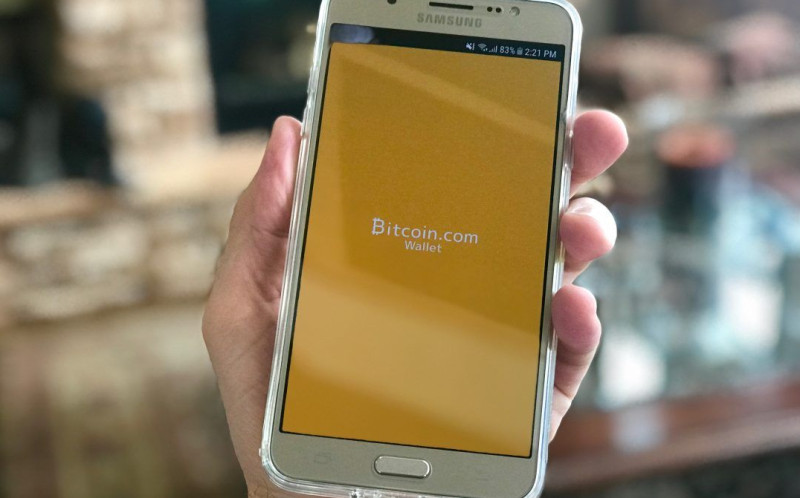
The wallet itself is just a tool that talks to the blockchain. It holds those keys and shows your balance. It doesn’t hold the coin. So the real treasure is the cryptocurrency wallet key, not the app on your phone or the file on your computer. A wallet is more like a ledger book that notes who owns what.
When you want to receive money, you share your public key. That serves as an address. When you want to send money, you must use the private key to sign off. The system checks the signature and lets the move happen. Without that cryptocurrency wallet key, you can’t move your own funds.
Why Keeping Your Cryptocurrency Wallet Key Hidden Matters
When you send crypto from your wallet, the move is final. There’s no undo button. The only way to recover it is if the recipient sends it back voluntarily-which rarely happens with thieves. I learned this early, and it still bugs me how irreversible it is.
Once you send currency from your wallet, it is almost impossible to get it back.
So the private half of your cryptocurrency wallet key must stay secret. If a bad actor gets it, they can drain your funds and you can’t call a bank to fix it. I hate to sound alarming, but that’s the raw truth of how the system works.
A good habit is to treat your cryptocurrency wallet key like the only key to your house. You wouldn’t hand it to a stranger on the street. You also wouldn’t paste it into a form just because a site asks nicely. The key is yours and yours alone.
Some people write the key on paper. Some keep it on a device that never touches the net. Either way, the rule holds: the cryptocurrency wallet key stays out of reach of prying eyes and prying code.
Where Attackers Look for Your Key
Bad software wants your key. In one documented case, a stealer called PureLogs grabbed crypto data from many wallet apps on Windows. It hunted for wallet files, cached credentials, and keys. On Mac, another campaign used fake help pages to drop stealers that lifted cryptocurrency wallet keys from apps-and even replaced legitimate wallet apps with malicious ones.
Even code packages can turn bad. A supply chain hit on a popular Python library pulled seed phrases and wallet files from servers. The point is: your cryptocurrency wallet key is a target everywhere, from your laptop to your build machine.

These attacks don’t need fancy words. They use plain tricks: fake emails, fake terminal commands, and poisoned code. They all aim at the same prize: your cryptocurrency wallet key. I keep that in mind whenever I install something new.
The reports show a long list of wallet names ripped by malware. We’ll get to that list later. For now, just know that no wallet app makes you safe if the machine around it is compromised. The cryptocurrency wallet key is only as safe as the place it sits.
Phishing Emails That Drop Malware
One sneaky campaign sent emails styled as purchase orders. The message carried an attached archive. Inside was a JavaScript file. When opened, it ran a PowerShell script that hid itself and pulled down more bad code. This is how a cryptocurrency wallet key can leak on Windows without the user knowing.
The email itself pretended to be a fake purchase order and even had a subject line claiming a virus was detected-though a mail filter blocked it in many cases. Still, if it got through, the user was told to open the archive. Inside was a file named something like kpankocrs.js. That file decrypted a PowerShell script and dropped it in a temp folder.
The PowerShell then did its work in memory. It used a trick called process hollowing to hide inside a normal Windows tool. From there it fetched a downloader that grabbed the final stealer. The stealer looked for crypto wallet data and sent it to a control server. I tell you, don’t open odd attachments, ever.
What the PureLogs stealer went after
- Basic system info and screen shots of the victim's desktop
- Browser logins from Chrome, Edge, Firefox, Brave, Opera and more
- Discord auth tokens stored in local app data folders
- Crypto wallet files from Bitcoin Core, Exodus, Electrum and many others
The malware’s primary capability is to collect sensitive data from the victim’s system.
That line is from the research, but it fits my point. The bad code wanted your cryptocurrency wallet key along with other stuff. It packed the stolen info and shipped it out over the net.
The target list of wallets in that campaign was long. It included Qtum Core, Monero, Dash Core, Litecoin Core, Dogecoin Core, Coinomi, Armory, Bytecoin, MultiBit, Exodus, Ethereum, Electrum, Atomic Wallet, Guarda, BitPay, Wasabi, and others. If your cryptocurrency wallet key was in any of those apps, it was in the crosshair.
Mac Users Targeted With Fake Help
Mac folks aren’t safe either. A campaign called ClickFix used blog pages that told people to run Terminal commands. The commands pretended to install useful utilities. Instead they loaded stealers like Macsync, Shub, or AMOS. Those grabbed media, iCloud data, and cryptocurrency wallet keys.
Some versions of this trick even swapped real wallet apps for fake ones. If you use Ledger Live or Exodus, a bad copy could steal your cryptocurrency wallet key the moment you type it. The malware also looked for files with names like wallet, key, keys, seed, and kdbx.

Three flavors of the Mac attack were seen. One used a loader that asked for your password pretending to install a helper. Another used a script delivered through Terminal with a hard-coded address for commands. A third used a helper app that copied Keychain databases and desktop wallets. All of them wanted the cryptocurrency wallet key.
Newer macOS builds show a warning when you paste commands into Terminal. It says something like "Possible malware, Paste blocked." I’d listen to that prompt. Don’t run stuff from sites you don’t trust. A simple rule: if a page tells you to paste a big block of text into Terminal, close the tab.
The Mac stealers also trojanized apps. They replaced Ledger Wallet.app, Trezor Suite.app, and Exodus.app with bad copies. That means even a careful user could launch a wallet that looks right but ships the cryptocurrency wallet key to a thief.
Supply Chain Attacks Via Code Packages
Sometimes the tool you trust turns bad. In one case, two versions of a Python package named litellm got poisoned. The bad code grabbed SSH keys, cloud creds, and cryptocurrency wallet seed phrases. It hit machines that ran the package in their build pipeline. This shows the cryptocurrency wallet key can leak even on a server far from your hands.
The attack worked because the bad actor got the publish token for the package. They slipped in code that ran on every Python start. The code looked for wallet files for Bitcoin, Ethereum, Solana, Cardano, Monero, and Ledger configs. If your cryptocurrency wallet key was in a seed phrase on that box, it was gone.
Signs a package might be poisoned
- Strange new files in your home config folder like sysmon.py
- Unexpected network calls to weird domains such as models.litellm.cloud
- Hidden scripts that run on every Python start via .pth files
- Versions pulled from public repos within hours of release after a token leak
If you think a system got hit, rotate all creds, including your crypto seed. That means a new cryptocurrency wallet key for your funds. The source advice says to pin dependencies to a clean version and audit your build tools. I do that on my own small projects now.
The supply chain stealer worked in stages. First it collected system data and keys. Then it encrypted the haul with a session key and sent it out. Then it installed a persistence script that called back every few minutes. The cryptocurrency wallet key was part of the first stage, so it left fast.
Quantum Computers and Future Risk
This part sounds like sci-fi but it’s real. The math that protects your cryptocurrency wallet key today is called elliptic curve crypto. Big quantum machines of the future could break that math. Google started work on a fix back in 2016. They say blockchains need to move to post-quantum methods.
For now, the easy step is to not reuse the same wallet address over and over. If you keep your cryptocurrency wallet key tied to one address that’s out in the open, a future quantum attack could target it. Spread your use, keep keys fresh.

Researchers built test circuits that could break the curve with fewer pieces than old guesses. They say a machine with hundreds of thousands of physical qubits might do it in minutes. I’m not losing sleep tonight, but I do think habits beat tools. I can’t control quantum yet, but I can control how I store keys today.
The shift to new math will take time. Blockchains may need to change how they sign moves. Until then, the best guard for your cryptocurrency wallet key is to avoid flashing it around. Don’t post your address with a big balance and don’t reuse it for years.
Simple Habits to Protect Your Cryptocurrency Wallet Key
You don’t need to be a security pro to stay safe. Most breaches happen because someone clicked a bad link or ran a strange command. I keep my routine plain: I don’t open mail from strangers, I don’t paste Terminal text from the web, and I check my wallet app source.
Email filters help block fake purchase orders. Turning off script execution in email clients stops a lot of malware. Watching for odd PowerShell or Terminal use on your box is smart. These steps guard your cryptocurrency wallet key better than any fancy badge.
Easy habits I use
- Never share my private key or seed phrase with anyone
- Double-check wallet app downloads from official sites only
- Avoid running commands copied from random blog pages
- Use separate machines for crypto if I can afford it
Keep your private key hidden and safe; once currency sent cannot be reversed.
That old line from the basics still wins. The cryptocurrency wallet key is yours alone. If you build the habit of checking before you click, you close most doors that thieves walk through.
On Windows, disable unneeded script execution. On Mac, watch for password prompts from apps you didn’t launch. On all systems, use tools that flag strange outbound calls. The cryptocurrency wallet key stays safe when the surrounding machine is clean.
Picking a Safer Place for Your Key
When you look for a place to keep your key, you’ll see many options. Some folks want the safest wallet crypto they can find. Others just need the best wallet for cryptocurrency for daily use. I say start with what fits your life.
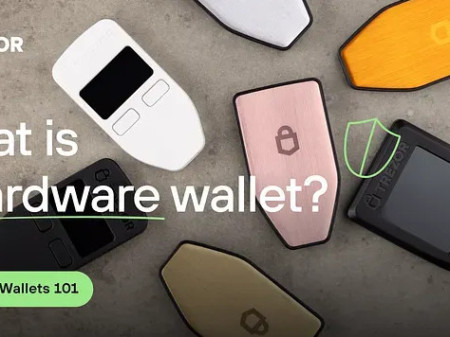
A cold wallet for crypto keeps your key offline. That’s a solid step. If you want a crypto storage wallet that sits on a shelf, look at cold storage usb sticks. They are simple and keep the key off the net.
New users often ask about the best cryptocurrency wallet for beginners . And some compare trezor safe 5 vs 7 or look at a onekey secure crypto wallet . The blockchain best wallet for you is the one you understand. If you wonder what are cold wallets , they are just wallets with no live link to the web.
My take: a cold wallet for crypto beats a hot one for big savings. Your cryptocurrency wallet key stays in your pocket, not on a server. Hot wallets are fine for small spend money, like coins in a tip jar.
Before you buy, read plain user notes, not just star ratings. The safest wallet crypto is the one you can use without fear. A best wallet for cryptocurrency should make it hard to slip up. I prefer gear that shows the key on a screen so I can verify it.
Wallets That Got Targeted
The stealers didn’t pick on small apps only. They went after a long list of popular wallets. If you use any of these, be extra careful with your cryptocurrency wallet key. The reports pulled names from Windows, Mac, and code attacks.
Wallet software named in attack reports
- Bitcoin Core, Litecoin Core, Dogecoin Core, Dash Core, Qtum Core
- Electrum, Exodus, Atomic Wallet, Guarda, Wasabi, Coinomi, Armory
- Ledger Live, Trezor Suite, MetaMask, Phantom (browser extensions)
- Monero, MultiBit, Binance, Daedalus, MyMonero, Bisq, Sparrow, and more
That list isn’t exhaustive, but it shows the range. The bad code looked for wallet files, keys, and seed phrases. Your cryptocurrency wallet key could be taken from any of these if your machine is hit. I check my app’s hash when I can.
On Mac, the trojanized apps included Ledger Wallet.app, Trezor Suite.app, and Exodus.app. On Windows, the stealer scanned for dozens of Core clients and light wallets. The point is broad: a cryptocurrency wallet key in a hot app is a target no matter the brand.
What Stolen Key Data Looks Like
When malware sends your info out, it grabs more than just the key. It packs wallet databases, cached creds, and unlock tokens. Here’s a rundown of what they took in the reports. This helps you see why the cryptocurrency wallet key is the master that opens the rest.
Data types pulled with key info
- Cryptocurrency wallet files and databases from app folders
- Cryptocurrency private keys and public keys stored on disk
- Cached credentials and unlock tokens from wallet software
- Wallet addresses, transaction histories, cached login sessions, auth tokens
Using the key data, the attacker may obtain cryptocurrency wallet files, wallet databases, cryptocurrency private keys...
That’s straight from the research. The cryptocurrency wallet key is the master that opens these. Seed phrases and Keychain entries were taken too. On Mac, iCloud data went out with the key.
The stealers looked for file extensions like wallet, key, keys, seed, and kdbx. If you keep your cryptocurrency wallet key in a file with those names, know that malware hunts them by name. I name my backup something dull, not "mykey".
My Take on Staying Calm and Safe
I’ve read a lot of scary reports to write this. The main thing I keep is simple: my cryptocurrency wallet key is mine, and I guard it like cash. Tools help, but my daily habits do the heavy lifting. You don’t need to fear the net, just respect it.
If you use a safest wallet crypto setup or a plain app, check for weird behavior. Don’t trust every email or blog tip. And please, write your seed on paper if you must, but keep it off the screen. The cryptocurrency wallet key should not live in a screenshot.
Hey, don’t skip this part: the thieves want your key because it is the whole game. They don’t need your password to the exchange if they have the key. So build the habit now. A cold wallet for crypto and a clear head will beat most attacks.
I’m just one person sharing notes from the research. The cryptocurrency wallet key is a strange thing: a string of text that controls real value. Keep it close, keep it quiet, and you’ll sleep fine.
Comments on “Keeping Your Cryptocurrency Wallet Key Safe Online (And Why Habits Beat Tools)”
No comments yet. Be the first to share your thoughts.